Town's Charm
Town's Charm is a relaxed town building and life simulation game where development, character interaction, exploration and gentle management all grow at your own pace. There is no timer pushing you and no fail state waiting at the end of a bad day, just a small town that steadily becomes yours.
You build and improve the town around you, meet the characters who live in it, complete activities, manage your resources and unlock new possibilities as your settlement grows. Every system feeds the others, so a morning spent gathering becomes an afternoon of building and an evening of new conversations.
The experience is designed to be personal rather than competitive. Two players can start on the same day and end up with completely different towns, routines and favourite characters, because the game follows your choices instead of a fixed checklist.
Players can explore different aspects of the game, including:
- Building and improving a town
- Managing resources
- Interacting with characters
- Completing activities
- Unlocking new progression opportunities
- Customizing the gameplay experience
The game is available on Android devices and Windows PC, so you can settle into a long session at a desk or carry your town in your pocket. This page covers the whole experience in one place: how the systems work, what each platform offers, how installation goes, and the strategies that help a new town flourish.
On This Page
App Information
Screenshots


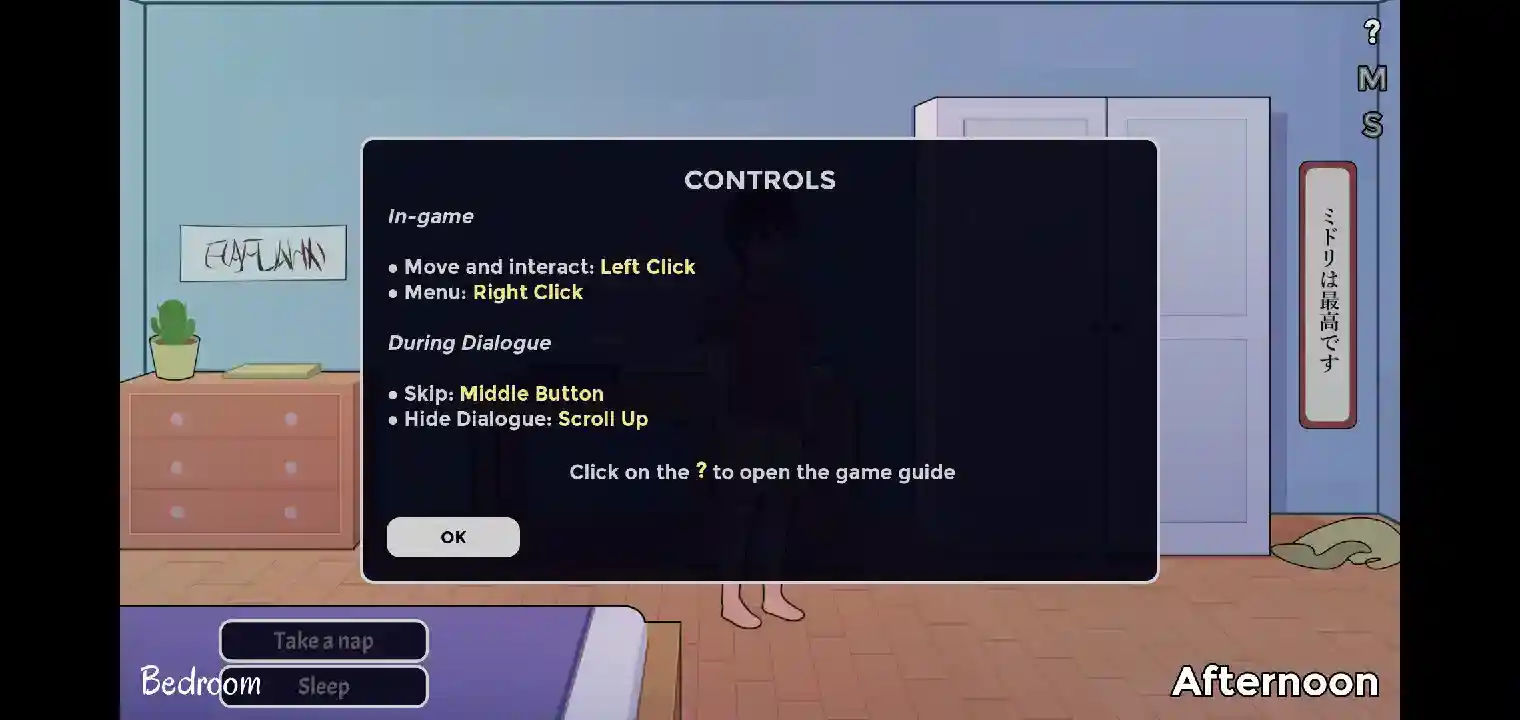
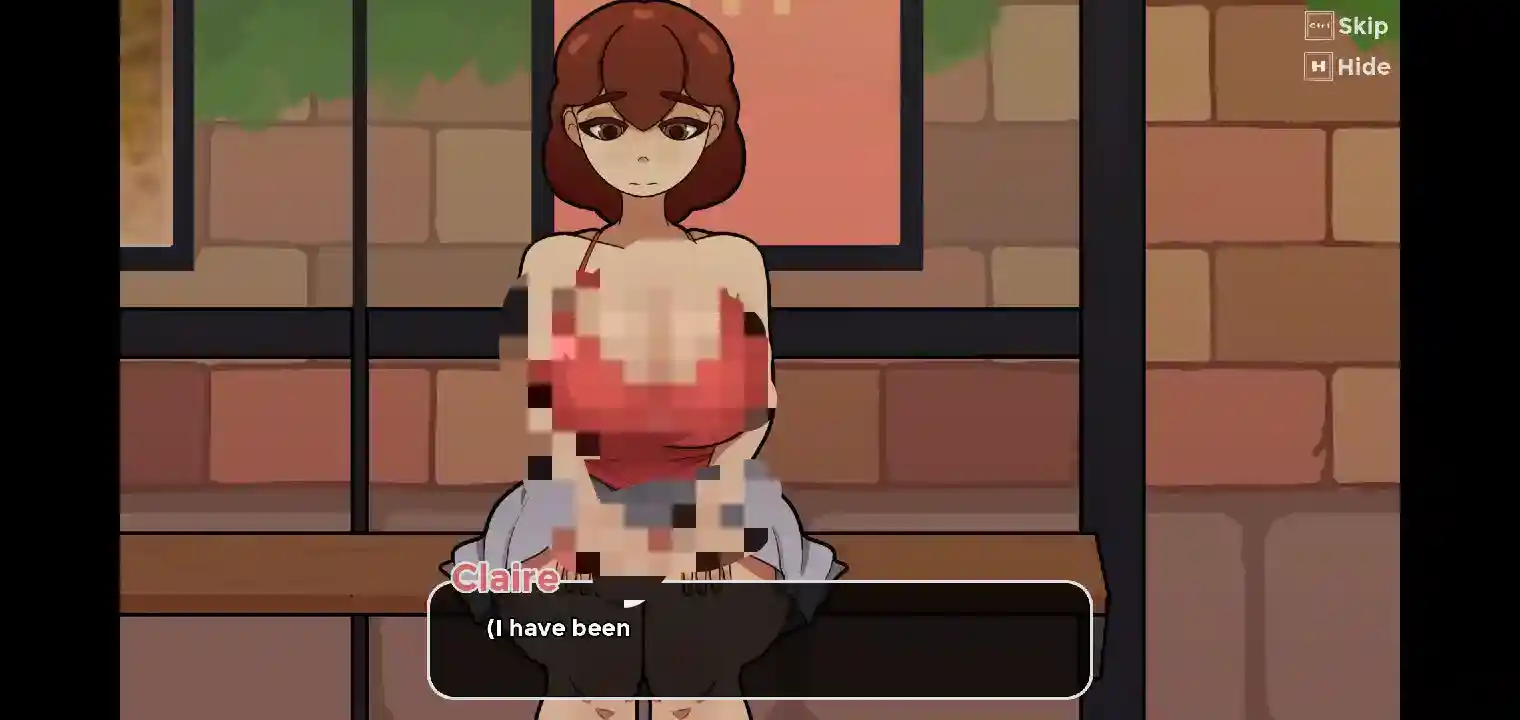
What Is Town's Charm?
At heart, this is a simulation game about growing a town and a life inside it. You develop buildings and spaces, gather and manage resources, explore the surrounding world and build relationships with the characters who share it, while progression systems quietly unlock new content as you play.
The main idea behind the game is gradual progression.
Players start with a developing environment and work toward improving it through different activities.
The gameplay revolves around:
Instead of completing a single linear objective, players build their own experience by deciding how they want to progress.
- Growth
- Exploration
- Management
- Character interactions
- Unlocking new content
Town's Charm Game Overview
The overview is simple to state and deep to play. A small settlement, a set of resources, a cast of characters and a map that opens up over time, connected by one loop: explore, gather, build, interact, progress. Everything else in the game hangs off that loop.
The game includes systems commonly found in simulation and management games, such as:
Each system connects with the others.
For example, improving the town may unlock new activities, while interacting with characters may open additional progression paths.
This interconnected design encourages players to continue developing their world over time.
- Town development
- Resource collection
- Character relationships
- Exploration
- Customization
Available Platforms And Devices For Town's Charm
The game reaches players on two platforms, Android and Windows PC, and the full experience is available on both. Your choice is really about how you like to play: short relaxed sessions on a phone, or long settled evenings on a bigger screen.
Players can experience the game on:
The available version may differ depending on the platform, but the main gameplay concept remains focused on town development and progression.
Choosing the right platform depends on personal preference and device availability.
- Android smartphones
- Android tablets
- Windows PC
Town's Charm For Android Devices
On Android the game becomes a pocket town. Touch controls suit its unhurried pace, sessions can last five minutes or fifty, and the town is simply there whenever you open the app, which suits a game built around small daily progress.
Mobile gaming provides a convenient way to play because players can access the game directly from their smartphones or tablets.
The Android experience is suitable for players who prefer:
- Portable gameplay
- Touch controls
- Shorter play sessions
- Playing anywhere
Android Gameplay Experience
On Android devices, players interact with the game using touch controls.
The mobile interface is designed around direct interaction, making it easier to:
The experience is focused on accessibility and convenience.
- Navigate menus
- Select options
- Manage activities
- Interact with game elements
Town's Charm On Android Phones
Smartphones provide a flexible way to play Town's Charm.
Players can enjoy the game during short sessions or longer gameplay periods depending on their schedule.
Factors that affect the mobile experience include:
A newer device may provide smoother performance compared with older hardware.
- Device performance
- Available storage
- Screen size
- Battery condition
Town's Charm On Android Tablets
Tablets can provide a larger display compared with smartphones.
A bigger screen may make certain game elements easier to view and interact with.
Tablet users may benefit from:
- Larger interface elements
- More comfortable viewing
- Better navigation experience
Town's Charm For Windows PC
On Windows PC the same town gets room to breathe. A larger display shows more of your settlement at once, mouse control makes building and menu work precise, and longer sessions feel natural, which many players prefer for planning and development days.
PC gameplay can offer advantages such as:
Players who prefer playing simulation games on computers may find the PC version more comfortable.
- Larger display
- Different control options
- Longer play sessions
- Desktop gaming environment
PC Gameplay Experience
Playing Town's Charm on Windows allows users to experience the game on a larger screen.
A PC setup can provide:
The exact experience depends on the computer hardware and available resources.
- More viewing space
- Easier navigation
- Comfortable extended gameplay
Choosing Between Android And PC Versions
Choosing a platform is choosing a rhythm, not a feature set. Android favours flexibility and short sessions; PC favours comfort and long ones. Players who own both often find the decision makes itself once they notice when they actually reach for the game.
Both platforms provide access to the main Town's Charm experience.
Android Version
Better suited for players who prefer:
- Portable gaming
- Touch controls
- Playing anywhere
Windows PC Version
Better suited for players who prefer:
- Larger screens
- Desktop gaming
- Longer sessions
How Town's Charm Works
Moment to moment, play in Town's Charm is a gentle cycle. You check on the town, gather what you need, start or finish improvements, talk to characters, take on activities and watch small numbers become visible growth. Nothing demands speed, and almost everything rewards returning.
The general experience involves:
As players continue, the town becomes more developed and additional gameplay possibilities become available.
Exploring available options
Managing resources
Improving the town
Interacting with characters
Unlocking new opportunities
Core Gameplay Concept
The core concept is a town that remembers your attention. Buildings you raise change what the town can do, characters you meet change what it feels like, and the world beyond the streets slowly opens as your settlement becomes capable of supporting longer journeys.
Players are encouraged to:
The game rewards consistent progress and thoughtful management.
- Make decisions carefully
- Improve their environment
- Explore different systems
- Build their own experience
Town Development System
Development is the backbone of Town's Charm. Each improvement, a building raised, a space upgraded, an area unlocked, permanently expands what your town offers, and the order you build in shapes the experience, because early choices decide which resources and activities arrive first.
Players work toward improving their town by managing different aspects of growth.
Development may include:
A growing town creates new possibilities and improves the overall gameplay experience.
- Improving locations
- Unlocking new areas
- Expanding available activities
- Creating a more developed environment
Managing Your Town
Managing the town in Town's Charm is less about control than about rhythm. Resources arrive steadily, projects compete for them, and the skill is in sequencing: keeping one improvement moving, one reserve untouched for surprises, and one eye on what the next unlock requires.
Players need to consider:
Good management helps create steady progress.
- Available resources
- Development choices
- Progression goals
- Future improvements
Importance Of Progression
Progression in Town's Charm is what turns a pleasant toy into a journey. New content arrives in layers tied to your growth, so the game always holds something just past your current town, and every session ends with a clearer picture of what tomorrow is for.
As players continue:
Progression provides a reason to continue improving the game world.
- New possibilities become available
- The town develops further
- More interactions can be explored
Character Interaction System
Characters give the town its voice. Talking with residents, learning their routines and taking part in their activities turns a collection of buildings into a community, and the interaction system rewards regular, unhurried attention over occasional marathons.
Interactions help create a more personal gameplay experience.
Players may engage with characters through:
Character interactions add depth beyond simple town management.
- Conversations
- Activities
- Events
- Progression systems
Exploring The World Of Town's Charm
Beyond the streets of Town's Charm lies a wider world that exploration gradually reveals. Trips outward bring back resources, discoveries and reasons to develop the town further, and the map opening up over time is one of the game's most satisfying long arcs.
Exploration may involve:
A larger game world provides more reasons to continue playing.
- Finding new opportunities
- Discovering activities
- Learning more about the world
Customization In Town's Charm
Customization is how a town becomes yours rather than the game's. Choices about what to build, where to focus and how to spend your time stamp a personality on the settlement, and no two players' towns age in quite the same way.
Players may focus on:
Personal choices make each player's experience different.
- How their town develops
- Which activities they prioritize
- How they manage progression
Town's Charm Features Overview
The feature set is broad but coherent: building, resource management, character interaction, exploration, activities, progression and customization, all in service of one relaxed simulation. This section gathers the headline features before later sections take each system in turn.
These systems work together to create a complete simulation experience.
- Town development
- Character interaction
- Exploration
- Progression systems
- Multi-platform availability
- Management gameplay
Town's Charm World And Environment
The world of Town's Charm is designed around creating an experience where players can gradually develop their surroundings and become familiar with different aspects of the game.
Instead of focusing only on completing objectives quickly, the game encourages players to spend time understanding the environment and making progress through different activities.
The town acts as the central point of the gameplay experience.
Players interact with the world by:
The gradual growth system gives players a reason to continue returning and developing their town over time.
- Developing available areas
- Exploring different possibilities
- Meeting characters
- Managing progression
- Improving the overall environment
The Importance Of Town Growth
In Town's Charm, growth matters because it is the game's memory of you. A developed town unlocks more of everything, more activities, more interactions, more world, so the hours you invest stay visible on the map instead of disappearing into a score screen.
A developing town creates new opportunities and changes how players interact with the game world.
As the town improves, players can experience:
The feeling of starting with a developing location and slowly transforming it is an important part of the game's appeal.
- More activities
- Additional interactions
- New progression paths
- A more developed environment
Planning Your Town Development
Planning beats rushing. Deciding which improvement comes next, what it costs and what it unlocks turns scattered sessions into a strategy, and a simple habit, always knowing your next project before you log off, keeps progress compounding.
Instead of making random improvements, players should think about how each decision affects future development.
Important considerations include:
A planned approach creates a smoother gameplay experience.
- Which improvements are most useful
- Which areas need attention
- How resources should be used
- Which activities should be prioritized
Balancing Different Gameplay Systems
Balance is the quiet skill of the whole game. Building without gathering starves your projects, gathering without building wastes your stores, and ignoring characters flattens the experience. The systems are tuned to reward players who rotate between them.
Players should avoid focusing on only one aspect of the game.
A balanced approach includes:
Each system contributes to overall progression.
- Developing the town
- Exploring available content
- Managing resources
- Interacting with characters
Character System And Social Gameplay
The social layer treats residents as people with routines rather than vending machines for quests. Learning who is where, what they care about and how activities connect them turns daily rounds of conversation into the game's emotional core.
A town is not only about buildings and resources. The people within the world help create a sense of connection and progression.
Character interactions can make the gameplay experience more personal.
Players may discover:
- Different personalities
- Unique interactions
- New situations
- Additional content
Building Relationships With Characters
Character relationships can become an important part of progression.
Interacting with characters helps players understand more about the game world.
Good relationship management involves:
- Spending time with characters
- Exploring available interactions
- Paying attention to events
- Following progression opportunities
Events And Activities
Events and activities give the Town's Charm calendar texture. They break the build-gather loop with variety, offer their own rewards, and give characters and places a chance to appear in new combinations, which keeps a familiar town surprising across weeks of play.
They can encourage players to explore different parts of the game rather than repeating the same actions.
Events may introduce:
They help keep the gameplay experience interesting.
- New interactions
- Special activities
- Additional progression opportunities
Exploration Mechanics In Town's Charm
Exploration runs on curiosity backed by preparation. New areas ask for a developed town behind you, and what you find out there, resources, routes, discoveries, flows straight back into development, which is why the two systems are really one.
Players are encouraged to look beyond basic town management and discover additional possibilities.
Exploration can involve:
- Finding new areas
- Discovering activities
- Learning about the world
- Unlocking new experiences
Why Exploration Matters
Exploration gives players more control over their journey.
Instead of following only one path, players can experience the game according to their own choices.
This creates a more flexible gameplay style.
Progression And Long-Term Gameplay
Long term, progression in Town's Charm is a promise the game keeps: there is always a next layer. Veterans settle into rhythms of projects and exploration that new players cannot yet see, and the sense of a town with a future is what carries the game past its first week.
Progression is not only about reaching the end of the game.
It is also about:
Long-term progression gives players goals to work toward.
- Improving the town
- Discovering new features
- Developing relationships
- Creating a better environment
Understanding The Gameplay Loop
The main gameplay loop can be understood as:
Explore → Complete Activities → Improve The Town → Unlock New Opportunities → Continue Development
This cycle keeps the player engaged by constantly providing new goals.
Making Progress Efficiently
Players can improve their progression by following a few basic principles.
Focus On Important Improvements
Not every improvement has the same value.
Prioritize changes that provide better long-term benefits.
Avoid Wasting Resources
Resources should be managed carefully.
Before spending resources, consider whether the decision supports future growth.
Explore Before Making Major Decisions
Understanding available options helps players make better choices.
Town's Charm Player Experience
The player experience in Town's Charm is deliberately calm. Sessions have soft edges, progress never evaporates, and the game respects being closed as much as being played. It is a town you visit rather than a shift you work, and that tone is the whole design.
The game provides a slower, more relaxed style where players can focus on:
This makes it suitable for players who enjoy simulation and progression-focused games.
- Building
- Exploring
- Managing
- Discovering
Mobile Gameplay Experience
Playing Town's Charm on mobile devices provides flexibility.
Mobile players can enjoy the game without being tied to a desktop setup.
The mobile experience focuses on:
This allows players to progress whenever they have time.
- Easy access
- Touch interaction
- Portable gameplay
PC Gameplay Experience
The PC version provides a different style of gameplay.
A larger display can make it easier to view the game world and manage different elements.
PC players may prefer:
The best platform depends on personal preference.
- Longer sessions
- Larger screens
- Desktop controls
Performance Considerations Across Devices
The gameplay experience can vary depending on the device.
Important factors include:
A device with better resources generally provides a smoother experience.
- Hardware capability
- Available storage
- System performance
- Background applications
Storage And Installation Considerations
Before installing Town's Charm, players should make sure their device has enough available space.
A prepared device helps avoid:
Keeping enough storage available is useful for future updates as well.
- Installation failures
- Performance issues
- Update problems
Keeping Town's Charm Updated
Updates are important because they may improve:
Players should follow official development sources for information about new releases.
- Stability
- Features
- Gameplay experience
- Compatibility
Understanding Independent Game Development
Town's Charm follows an independent development approach.
Independent games often receive updates based on development progress and community feedback.
This means the game can continue evolving over time.
Players following development can stay informed about:
- New additions
- Improvements
- Changes
Town's Charm Community And Player Interest
Games like Town's Charm often build communities around shared interest in:
Community discussions can help players learn more about different ways to enjoy the game.
- Gameplay discoveries
- Progression strategies
- Updates
- Experiences
Getting The Best Experience From Town's Charm
Players can improve their overall experience by:
A patient approach allows players to experience more of what the game offers.
- Exploring different systems
- Avoiding rushed progression
- Managing resources carefully
- Understanding character interactions
- Keeping the game updated
Town's Charm Features Explained
Explained plainly, the features form one sentence: build a town, know its people, explore its world and grow at your pace. The detail lives in how generously the systems share resources and unlocks with each other, which this section walks through feature by feature.
The main features focus on:
Understanding these features helps players get a better idea of how the game works and what they can expect while playing.
- Town development
- Character interactions
- Exploration
- Progression
- Customization
- Management systems
Town Building And Development Features
Town development is one of the most important features of Town's Charm.
The main objective is not simply completing tasks but creating a growing environment that changes over time.
Players can focus on improving different parts of their town and creating a more developed world.
Town development provides:
- A sense of progression
- Long-term goals
- New gameplay opportunities
- A personal connection with the game world
Creating A Personalized Town Experience
One of the enjoyable aspects of simulation games is the ability to create a unique experience.
Town's Charm allows players to approach development according to their own style.
Some players may focus more on:
Different choices can create different gameplay experiences.
- Expanding the town
- Discovering content
- Improving relationships
- Exploring available activities
Character Interaction Features
Characters are an important part of making the town feel active and engaging.
A world without interaction can feel empty, but characters add personality and depth.
Character-based features allow players to:
- Learn more about the world
- Experience different interactions
- Discover additional content
- Progress through social elements
Social Progression System
Social progression adds another layer beyond basic management.
Players are encouraged to interact with characters and understand their role within the game world.
This creates a more connected experience where progress is not only measured by town improvements.
Exploration Features
Exploration allows players to discover more aspects of Town's Charm.
Rather than staying focused on one activity, players can explore different opportunities available throughout the game.
Exploration creates:
- Discovery moments
- New experiences
- Additional progression paths
Discovery And Player Choice
A strong exploration system gives players freedom.
Instead of forcing every player to follow exactly the same path, exploration allows different approaches.
Players can decide:
- What to focus on first
- Which activities to complete
- How they want to progress
Progression Features In Town's Charm
Progression is what keeps players engaged over time.
Town's Charm uses gradual improvement instead of instant completion.
Players progress by:
- Developing their environment
- Completing activities
- Exploring systems
- Unlocking new possibilities
Short-Term And Long-Term Goals
Good progression systems provide different types of goals.
Short-term goals may involve:
Long-term goals may involve:
- Completing current activities
- Improving specific areas
- Managing available resources
- Creating a developed town
- Exploring more content
- Continuing overall growth
Management Features
Management is another important part of the Town's Charm experience.
Players need to think about how they use available resources and make decisions that support future development.
Good management involves:
- Planning
- Prioritizing
- Balancing different needs
Decision Making In Town's Charm
The choices players make influence their gameplay experience.
Before making decisions, players should consider:
Thoughtful decisions usually create smoother progression.
- Current needs
- Future benefits
- Available resources
Customization Options
Customization helps players create a more personal experience.
A good simulation game allows players to feel ownership over their progress.
Customization can include choices related to:
- Town development
- Gameplay approach
- Personal preferences
Why Customization Matters
Customization increases replay value because every player can experience the game differently.
A personalized experience makes the town feel more connected to the player's decisions.
User Interface And Controls
The interface plays an important role in making management games enjoyable.
Town's Charm is designed around interaction with different gameplay systems.
The control experience depends on the platform.
Android Controls
Mobile users interact through touch controls.
Touch-based interaction provides:
The mobile interface is designed for smartphone and tablet users.
- Direct selection
- Easy navigation
- Portable gameplay
PC Controls
PC users experience the game through a desktop environment.
A larger screen can make management and navigation more comfortable.
PC gameplay can be preferred by players who enjoy longer sessions.
Accessibility Across Devices
Having multiple device options allows more players to experience Town's Charm.
Different platforms provide different advantages:
- Mobile: Portable, Convenient, Easy access
- PC: Larger display, Desktop experience, Extended sessions
Beginner Gameplay Approach
New players should focus on understanding the basic systems before trying to optimize everything.
A good starting approach includes:
- Learning available features
- Exploring the environment
- Understanding progression
- Managing resources carefully
First Steps For New Players
When starting Town's Charm:
Taking time to understand the game creates a better experience.
Explore the available options
Understand how progression works
Learn character interactions
Improve the town gradually
Common Beginner Challenges
New players may face challenges such as:
These challenges become easier as players understand the connection between different systems.
- Not knowing what to prioritize
- Managing resources incorrectly
- Missing available opportunities
Improving Your Gameplay Experience
Players can improve their Town's Charm experience by:
A balanced approach provides a more enjoyable experience.
- Exploring all available features
- Making thoughtful decisions
- Avoiding rushed progression
- Understanding the game's systems
Why Players Enjoy Town's Charm
Town's Charm appeals to players who enjoy:
The combination of these elements creates a gameplay experience focused on creativity and gradual growth.
- Simulation games
- Relaxed progression
- Management systems
- Character interaction
- World development
Town's Charm Download Guide Overview
Getting the game starts with choosing the right file for your device. The download page lists the current Android APK and the Windows version with their sizes, plus alternate links for the previous version, and this section explains how to pick correctly before installing.
Before downloading Town's Charm, players should understand:
Using the correct version helps avoid unnecessary installation problems and provides a smoother gameplay experience.
For detailed installation steps, see Town's Charm Installation Guide.
- Which device they want to use
- Which version is available for that platform
- Basic installation requirements
- Storage requirements
- Compatibility considerations
Town's Charm For Android Download
Android users can access Town's Charm through an APK-based installation method.
APK files allow Android users to install applications manually instead of using traditional app stores.
Before installing the Android version, players should check:
A proper installation process helps ensure that the game runs correctly.
- Device compatibility
- Available storage space
- Android settings
- File source reliability
Android Device Preparation Before Installation
Before installing Town's Charm on an Android device, prepare the phone or tablet.
Important steps include:
Check Storage Space
Make sure the device has enough free storage.
Insufficient storage can cause:
- Installation failure
- Update problems
- Performance issues
Check Device Performance
The gameplay experience depends on the device hardware.
Important factors include:
A more capable device generally provides smoother gameplay.
- Processor capability
- Available memory
- Graphics performance
Enable Required Installation Settings
Android devices may require permission changes when installing APK files.
Players should only enable installation permissions when using a trusted source.
Town's Charm Windows PC Download
The Windows version provides an alternative way to experience Town's Charm.
PC players may prefer this version because of:
Before installing the PC version, players should check their system environment.
- Larger screens
- Desktop controls
- Longer gameplay sessions
- Computer-based gaming setup
Preparing Windows PC For Town's Charm
Before installation:
Check Available Storage
Make sure the computer has enough space for:
- Game files
- Future updates
- Additional data
Check System Performance
The PC experience depends on:
A suitable system provides better stability.
- Processor
- Memory
- Graphics capability
- Operating system
Comparing Android And Windows Versions
Both platforms provide access to Town's Charm, but the experience can feel different.
The best choice depends on personal preference.
- Android Version: Suitable for portable gameplay, touch controls, and playing anywhere
- Windows Version: Suitable for desktop gaming, larger displays, and extended sessions
Town's Charm Installation Process Overview
Installation steps vary depending on the device.
The general process includes:
For detailed installation steps, see Town's Charm Installation Guide
- Downloading the correct version
- Preparing the device
- Installing the game files
- Launching the game
- Checking that everything works correctly
Town's Charm Updates And File Management
Keeping the game updated helps maintain a better experience.
Updates may include:
Players should manage their game files carefully when updating.
- Improvements
- Bug fixes
- New content
- Compatibility changes
Managing Town's Charm On Android
Android users should avoid unnecessary file changes.
Good practices include:
- Keeping enough storage available
- Installing updates correctly
- Removing unused files
- Maintaining device performance
Managing Town's Charm On Windows
PC users should maintain a clean installation environment.
Helpful practices include:
- Keeping game files organized
- Avoiding unnecessary modifications
- Checking updates regularly
Town's Charm Gameplay Tips For New Players
Understanding the basics helps new players progress more effectively.
Take Time To Explore
New players should explore available systems instead of rushing.
Exploration helps players understand:
- Available activities
- Character interactions
- Progression opportunities
Focus On Gradual Development
Town's Charm is designed around steady growth.
Players should focus on:
- Improving the town
- Learning systems
- Making thoughtful decisions
Balance Different Activities
Avoid focusing on only one part of the game.
A balanced approach includes:
- Development
- Exploration
- Interaction
- Resource management
Learn From Progression Systems
Progression systems guide players toward new opportunities.
Understanding how different systems connect makes future decisions easier.
Town's Charm For Different Types Of Players
Town's Charm can appeal to different player preferences.
Simulation Game Players
Players who enjoy management and development systems may appreciate the town-building aspects.
Casual Players
Players looking for a relaxed experience may enjoy the slower progression style.
Exploration-Focused Players
Players who enjoy discovering new content can explore different activities and interactions.
Long-Term Gameplay Experience
Town's Charm focuses on gradual progress rather than quick completion.
The long-term experience comes from:
This creates a gameplay loop where players can continue building and improving over time.
- Developing the town
- Exploring available content
- Improving systems
- Continuing progression
Maintaining A Smooth Gameplay Experience
Players can improve their experience by:
A well-managed setup allows players to enjoy the game with fewer interruptions.
- Using compatible devices
- Keeping enough storage space
- Updating the game properly
- Understanding gameplay systems
Town's Charm Overall Experience
Town's Charm combines multiple elements into one experience:
The game focuses on creating a world that develops alongside the player's decisions.
Whether playing on Android or Windows PC, the main experience remains centered around building, exploring, and progressing through a growing town.
- Town management
- Character interaction
- Exploration
- Progression
- Customization
Town's Charm Installation Guide Overview
Installation is a short, careful process: download the correct package for your platform, locate the file, run the installer, accept the permissions the game requests and launch it once to confirm everything works. This section walks through the Android and Windows paths step by step.
Because the game is available on different platforms, the installation process depends on the device being used.
The main installation methods are different for:
Before installation, players should make sure they are using the correct version for their device.
A proper setup helps prevent issues related to missing files, compatibility problems, installation failures, and performance problems.
For full installation steps, see the Town's Charm Installation Guide.
- Android smartphones
- Android tablets
- Windows PC
Installing Town's Charm On Android Devices
Android users install Town's Charm through the Android application file format.
Before starting the installation process, players should prepare their device.
Important preparation steps include:
- Checking available storage
- Confirming device compatibility
- Ensuring the downloaded file is correct
- Following safe installation practices
Android Installation Preparation
Before installing the game, check the device condition.
Storage Requirements
A device should have enough free space for:
Low storage can interrupt the installation process.
- Installation files
- Game data
- Future updates
Device Compatibility
The Android experience depends on the device hardware.
Important factors include:
A compatible device provides better stability.
- Android version
- Processing power
- Memory availability
- Storage speed
Android Installation Process
The general Android installation process includes:
The exact steps may vary depending on the Android device and settings.
Download the correct Town's Charm file
Locate the downloaded file
Start the installation process
Complete required permissions
Open the game
Check that it launches correctly
Android Installation Safety Considerations
When installing applications manually, players should always consider file safety.
Good practices include:
A safe installation helps protect both the device and game experience.
- Using trusted sources
- Avoiding unknown modified files
- Checking file information
- Keeping device security settings active
Installing Town's Charm On Windows PC
Windows users follow a different installation process compared with Android users.
The PC version is designed for desktop environments and may require different setup steps.
Before installation, check:
- Available storage
- System compatibility
- Required files
Windows Installation Preparation
Before installing Town's Charm on PC:
Check System Space
Ensure enough storage is available for:
- Game files
- Additional updates
- Saved progress
Check Computer Performance
The PC experience depends on:
A suitable system helps provide smoother gameplay.
- Processor capability
- Memory
- Graphics hardware
- Operating system
Windows Installation Process
The general PC installation process includes:
After installation, players should test that the game opens correctly.
Download the correct Windows version
Open the downloaded file
Follow installation instructions
Choose the installation location
Launch the game
Managing Town's Charm Files
Proper file management helps maintain a stable installation.
Players should avoid:
Organized files make future updates easier.
- Deleting important files
- Moving game files randomly
- Using incompatible versions
Updating Town's Charm After Installation
Updates help improve the game experience.
They may include:
Before updating:
- New improvements
- Bug fixes
- Gameplay changes
- Compatibility adjustments
- Check the new version information
- Keep important files safe
- Follow the recommended update method
Save Data Management
Progress management is important in any progression-based game.
Players should take care when:
Keeping important game data protected helps prevent progress loss.
- Updating the game
- Moving between devices
- Changing installations
Switching Between Devices
Players who use multiple devices should understand that different platforms may have different file systems and installation methods.
Moving between Android and Windows may require additional steps depending on how game progress is stored.
Common Town's Charm Installation Problems
Some players may experience problems during installation.
Common issues include:
- Installation failure
- Game not opening
- Missing files
- Performance problems
Installation File Not Working
Possible reasons include:
Solution:
- Incorrect version
- Damaged file
- Device incompatibility
- Check the version
- Download again from a reliable source
- Confirm device requirements
Game Not Starting After Installation
Possible causes include:
Players should verify:
- Device limitations
- Missing requirements
- Installation problems
- Device compatibility
- Installation process
- Available storage
Performance Problems After Installation
If the game runs poorly, possible factors include:
Improving device performance can help create a smoother experience.
- Older hardware
- Limited memory
- Background applications
- Device storage issues
Town's Charm Beginner Setup Recommendations
New players should prepare their setup before starting.
Recommended steps:
A proper beginning creates a better experience.
- Install the correct version
- Check controls
- Explore settings
- Understand gameplay systems
First-Time Player Experience
When opening Town's Charm for the first time, players should focus on understanding the game rather than rushing progression.
Important early actions include:
- Learning available systems
- Exploring the environment
- Understanding character interactions
- Planning development choices
Creating A Stable Long-Term Setup
A stable setup requires:
Following these practices helps players enjoy Town's Charm over longer periods.
- Correct installation
- Regular updates
- Proper file management
- Compatible device usage
Town's Charm Installation Best Practices
For the best experience:
- Use the correct platform version
- Maintain enough storage space
- Keep files organized
- Update carefully
- Protect saved progress
- Use compatible devices
Town's Charm Platform Experience Summary
Town's Charm provides different ways to enjoy the game depending on the device.
Android users benefit from:
Windows users benefit from:
Understanding the installation process for each platform helps players start the game smoothly and enjoy the full experience.
- Portable gameplay
- Touch controls
- Easy access
- Larger screens
- Desktop gameplay
- Extended sessions
Town's Charm Advanced Gameplay Guide
Advanced play in Town's Charm is about compounding small advantages: tighter resource planning, development orders that unlock each other, exploration timed to your town's needs and character rounds that never get skipped. None of it is complicated; all of it adds up.
While beginners can enjoy the game by exploring naturally, understanding the deeper gameplay systems helps players make better decisions and progress more efficiently.
Advanced gameplay focuses on:
- Efficient town development
- Better resource management
- Understanding progression paths
- Maximizing available opportunities
- Creating a balanced gameplay approach
Understanding The Core Gameplay Loop
The gameplay loop in Town's Charm revolves around continuous improvement.
Players repeat a cycle of:
Understanding this cycle helps players make decisions that support long-term progress.
- Exploring available options
- Completing activities
- Improving the town
- Unlocking additional opportunities
- Continuing development
Efficient Town Development Strategy
Developing a town requires planning.
Players should avoid making random improvements without understanding their purpose.
A stronger development strategy includes:
A well-developed town creates more possibilities for future gameplay.
- Identifying important areas
- Prioritizing useful improvements
- Managing resources carefully
- Planning future growth
Prioritizing Important Improvements
Not every improvement has the same importance.
Players should focus on changes that provide:
Before investing resources, consider how the improvement contributes to future development.
- Better progression opportunities
- More efficient gameplay
- Additional activities
Resource Management Strategy
Resources are important because they support growth and progression.
A good resource strategy involves planning before spending and maintaining a balance.
Before using resources, think about current needs, future requirements, and available alternatives.
Avoid using everything immediately. Keeping some resources available allows players to respond to future opportunities.
Exploring All Available Systems
Town's Charm includes multiple gameplay systems.
Players who explore only one area may miss important parts of the experience.
A complete approach includes:
- Town development
- Character interaction
- Exploration
- Activities
- Progression
Character Progression Strategy
Character interactions add another layer to the gameplay experience.
Players can improve their experience by:
Characters help create a more connected and engaging world.
- Paying attention to interactions
- Exploring different opportunities
- Understanding character roles
Building Strong Gameplay Progression
Progression works best when players maintain steady growth.
A balanced progression approach includes:
- Improving the town
- Exploring new content
- Managing available resources
- Learning from previous decisions
Avoiding Common Progression Mistakes
Players may slow their progress by:
A patient approach usually creates better long-term results.
- Spending resources without planning
- Ignoring available activities
- Focusing on only one system
- Rushing through content
Town's Charm For Long-Term Players
Players who enjoy long-term progression can continue improving their experience by setting personal goals.
Examples include:
The open-ended progression style allows players to create their own objectives.
- Creating a developed town
- Exploring all available features
- Improving management strategies
- Discovering new interactions
Improving Gameplay Experience On Android
Mobile players can improve their experience by managing their device properly.
Helpful practices include:
- Closing unnecessary background applications
- Keeping enough storage space
- Maintaining device performance
- Keeping the game updated
Improving Gameplay Experience On PC
PC players can improve their experience by maintaining a stable system.
Helpful practices include:
- Keeping software updated
- Managing available resources
- Maintaining enough storage
- Using suitable system settings
Town's Charm And Player Choice
One of the important aspects of simulation games is giving players freedom.
Town's Charm allows players to decide how they want to approach progression.
Different players may focus on different goals:
This creates a personalized gameplay experience.
- Expanding development
- Exploring content
- Building relationships
- Improving management
Understanding The Importance Of Balance
A balanced approach is important because every system connects with another.
For example:
Ignoring one area may limit overall progression.
- Town development creates new opportunities
- Resources support improvements
- Characters add interaction
- Exploration reveals additional content
Tips For Creating A Better Gameplay Experience
Players can improve their experience by following these principles:
Learn Before Optimizing: Understand how systems work before trying to maximize progress.
Experiment With Different Approaches: Different strategies can create different experiences.
Avoid Rushing: The game is designed around gradual development. Taking time to explore makes the experience more enjoyable.
Town's Charm Gameplay Challenges
Like many simulation games, Town's Charm may present challenges related to:
These challenges encourage players to think carefully about their choices.
- Decision making
- Resource management
- Progress planning
How To Overcome Gameplay Challenges
A good approach includes:
Progress becomes easier as players become familiar with the game.
- Understanding available systems
- Learning from previous decisions
- Adjusting strategies when needed
Town's Charm Replay Value
Replay value comes from the ability to approach the game differently.
Players can create different experiences by changing:
This allows the game to remain interesting over time.
- Development priorities
- Gameplay choices
- Exploration focus
Why Town's Charm Appeals To Simulation Players
Players who enjoy simulation games often appreciate:
Town's Charm combines these elements into a connected experience.
- Gradual progress
- Management systems
- Personal development
- Relaxed gameplay
Preparing For Advanced Gameplay
Before focusing on advanced strategies, players should understand:
A strong foundation makes advanced gameplay easier.
- Basic controls
- Core systems
- Resource management
- Progression mechanics
Town's Charm Gameplay Summary
The strongest gameplay experience comes from combining all available systems.
Players should focus on:
This approach allows players to experience the full depth of Town's Charm.
- Building their town
- Managing resources
- Exploring the world
- Interacting with characters
- Progressing at their own pace
Town's Charm Tips And Tricks For Better Progression
The best tips for this game are habits rather than exploits. Keep a reserve, plan the next project before logging off, rotate between systems, and let the town grow daily instead of in binges. The tricks section collects the habits experienced players swear by.
While the game allows players to explore at their own pace, understanding useful strategies can make the overall experience smoother.
Good gameplay habits help players:
- Manage resources efficiently
- Make better development decisions
- Discover more content
- Avoid unnecessary mistakes
Start By Understanding The Game Systems
One of the most important tips for new players is to understand how different systems connect.
Town's Charm is not based on a single mechanic.
The experience comes from combining:
Learning how these systems work together creates a stronger foundation for future progress.
- Town development
- Character interaction
- Exploration
- Activities
- Progression
Do Not Rush Early Progression
A common mistake in simulation games is trying to progress too quickly.
Town's Charm rewards players who take time to understand the environment and available options.
Instead of rushing:
A slower approach often creates better long-term results.
- Explore available features
- Learn how different systems work
- Plan future improvements
- Make thoughtful decisions
Focus On Building A Strong Foundation
Early decisions can affect future development.
Players should focus on creating a stable foundation by:
A strong beginning makes later progression easier.
- Managing resources carefully
- Understanding available improvements
- Prioritizing useful development choices
Manage Resources Efficiently
Resources are important for growth, so players should avoid unnecessary spending.
Useful resource management habits include:
Efficient management allows continuous progress.
- Saving resources for important improvements
- Planning before making changes
- Avoiding wasteful decisions
Explore Before Making Decisions
Exploration provides valuable information.
Before deciding how to develop the town, players should understand what options are available.
Exploration helps discover:
- New activities
- Different opportunities
- Additional gameplay systems
Pay Attention To Character Interactions
Characters add depth to Town's Charm.
Players should not ignore social elements because interactions may provide additional experiences and progression opportunities.
Good character management includes:
- Exploring conversations
- Understanding relationships
- Paying attention to events
Balance Development And Exploration
Players should avoid focusing only on town upgrades.
A balanced approach includes:
Each activity contributes to the complete experience.
- Improving the town
- Exploring the world
- Interacting with characters
- Discovering new content
Keep Track Of Your Progress
Tracking progress helps players understand what they have achieved and what remains.
Useful things to remember include:
This prevents players from repeating unnecessary actions.
- Current development goals
- Important decisions
- Available opportunities
Experiment With Different Approaches
Town's Charm allows players to experience progression in different ways.
There is no single approach that works for everyone.
Players can experiment with:
Experimentation can make the game more enjoyable.
- Different development priorities
- Different exploration choices
- Different gameplay focuses
Improve Gameplay Performance
A smooth technical experience improves enjoyment.
Players can improve performance by:
On Android Devices: Closing unnecessary applications, keeping storage available, updating the device system, and avoiding excessive background usage.
On Windows PC: Maintaining enough storage, keeping drivers updated, closing unnecessary programs, and maintaining system performance.
Choosing The Right Device For Playing
The best device depends on personal preference.
Android devices provide portable gameplay, touch controls, and easy access.
Windows PC provides larger screens, a desktop experience, and comfortable longer sessions.
Players should choose the platform that matches their preferred style.
Managing Updates Properly
Updates can improve the game experience, but players should manage them carefully.
Before updating:
A careful update process helps avoid unnecessary problems.
- Check available changes
- Ensure enough storage
- Protect important progress
Avoiding Common Player Mistakes
Many problems can be avoided by following simple practices.
Ignoring Available Features
Some players focus on only one part of the game.
Exploring all systems creates a more complete experience.
Spending Resources Without Planning
Random spending can slow future development.
Always consider the long-term effect of decisions.
Rushing Through Content
Fast progression may cause players to miss important details.
Take time to understand the game world.
Not Checking Device Compatibility
Using an unsuitable device may create performance issues.
Always consider:
- Device capability
- Storage availability
- System requirements
Creating Your Own Gameplay Goals
Simulation games are often enjoyed through personal objectives.
Players can create goals such as:
Personal goals increase long-term enjoyment.
- Developing a complete town
- Exploring all available content
- Improving management strategies
- Discovering character interactions
Town's Charm Strategy For New Players
A strong beginner strategy includes:
This approach creates a smoother introduction to the game.
Learn the basic systems
Explore available content
Improve the town gradually
Manage resources carefully
Continue discovering new opportunities
Town's Charm Strategy For Experienced Players
Experienced players can focus on:
Advanced strategies become easier after understanding the core mechanics.
- Optimizing development choices
- Exploring less obvious features
- Improving efficiency
- Creating personal challenges
Maximizing Enjoyment From Town's Charm
The best way to enjoy Town's Charm is to avoid treating it only as a checklist.
The game experience comes from:
- Building something personal
- Exploring different possibilities
- Watching progress develop over time
- Creating your own gameplay journey
Long-Term Player Approach
For players who want to continue playing for a long time:
Focus on:
The combination of management and exploration creates a lasting experience.
- Maintaining steady progress
- Exploring new options
- Adapting strategies
- Enjoying gradual development
Town's Charm Characters And Interaction System
Characters deserve their own deep look because they carry the game's heart. Their routines, conversations and activities reward the player who treats the town as a place to live in, not just a board to optimise, and this section explains how interaction deepens over time.
A town is not only defined by its buildings and resources. The people living within the world create the atmosphere and make the environment feel more active.
Character interactions provide players with opportunities to:
Understanding the character system helps players enjoy more than just the management side of the game.
- Learn more about the world
- Experience different situations
- Discover additional content
- Progress through social elements
The Role Of Characters In Town's Charm
Characters help transform the town from a simple location into a living environment.
Without interactions, town-building would mainly focus on upgrades and resources.
Characters add another layer by creating:
The combination of management and interaction creates a more complete simulation experience.
- Personal connections
- Additional activities
- New experiences
- More reasons to explore
Character Interactions And Gameplay Progression
Interactions with characters can become part of the overall progression system.
As players continue exploring the game, character interactions may introduce new opportunities.
These interactions encourage players to:
A player who pays attention to characters can experience more of what the game offers.
- Spend time understanding characters
- Explore available conversations
- Follow different progression paths
Understanding Character Development
Character development adds depth to the world of Town's Charm.
Characters are not simply background elements. They contribute to the feeling of growth and discovery.
Through continued interaction, players can learn more about:
- The game world
- Character personalities
- Available activities
- Progression possibilities
Building Better Character Relationships
Players interested in the social side of Town's Charm should focus on consistent interaction.
Good relationship-building habits include:
Progress often comes through patience and continued engagement.
- Exploring different interactions
- Paying attention to character-related events
- Understanding available opportunities
Character Events And Special Interactions
Events can create additional moments that make the gameplay experience more engaging.
Special interactions may provide:
Events help prevent the game from feeling repetitive by introducing variety.
- New experiences
- Additional story elements
- Different gameplay situations
How Characters Affect The Town Experience
Characters influence how players view the town.
A developed town feels more meaningful when players recognize the people within it.
Characters help create:
This is one reason simulation games often combine management with social systems.
- A sense of community
- A stronger connection with the world
- More engaging progression
Exploring Character-Based Content
Players should explore character interactions instead of focusing only on development tasks.
A complete Town's Charm experience involves:
- Improving the environment
- Discovering character content
- Exploring available activities
- Following progression opportunities
Town's Charm World Building
World building is an important part of creating an enjoyable simulation experience.
The town is not just a collection of upgrades. It represents a developing environment shaped by player decisions.
Players contribute to the world by:
- Making development choices
- Exploring available options
- Creating their preferred experience
Creating A Living Town Environment
A successful town combines different elements:
When these systems work together, the town feels more complete.
- Development
- Characters
- Activities
- Exploration
Progression Through World Development
As the town develops, the player experience changes.
Development can lead to:
This creates a continuous cycle of improvement and discovery.
- More possibilities
- Additional interactions
- New goals
Town's Charm Exploration And Discovery Guide
Exploration encourages players to look beyond basic management.
Discovering new aspects of the game world can provide:
Players who explore fully are more likely to experience the complete game.
- Additional activities
- New experiences
- More progression options
Why Exploration Is Important
Exploration creates curiosity.
Instead of simply following a fixed path, players can discover content naturally.
This makes the gameplay experience more personal.
Exploring At Your Own Pace
Town's Charm is designed around gradual progression.
Players can choose their own approach:
A flexible pace allows different players to enjoy the game differently.
- Focus on development
- Explore interactions
- Discover available systems
Town's Charm Replay Experience
Replay value comes from having different ways to approach the game.
Players can create different experiences by changing:
This allows players to return and experience the game from a different perspective.
- Development priorities
- Exploration focus
- Gameplay decisions
Making The Most Of Exploration
Players can improve exploration by:
Exploration is not only about finding new locations; it is also about understanding the complete gameplay system.
- Checking different areas
- Trying different activities
- Paying attention to new opportunities
Town's Charm Immersive Experience
The combination of characters, development, and exploration creates the overall atmosphere of Town's Charm.
The game focuses on creating a world that changes according to player choices.
This makes the experience more personal compared with games that only focus on completing objectives.
How To Enjoy The Full Town's Charm Experience
Players should try to experience all major systems together.
A complete approach includes:
Each element supports the others.
- Developing the town
- Managing resources
- Exploring content
- Interacting with characters
- Following progression
Town's Charm Gameplay Philosophy
The game encourages players to enjoy gradual growth rather than rushing toward completion.
The main enjoyment comes from:
This approach makes Town's Charm suitable for players who enjoy relaxed simulation gameplay.
- Watching progress happen
- Making decisions
- Creating a personal experience
- Discovering new possibilities
Town's Charm Save System And Progress Management
Your progress is the town itself, so the save system matters. The game records your development as you play, and understanding how saves work, and how to protect them when changing devices, keeps months of growth safe.
Town's Charm focuses on gradual development, which makes protecting player progress an important part of the overall experience.
Understanding how progress management works helps players avoid losing important gameplay achievements.
Players should consider:
- Protecting saved progress
- Managing game files properly
- Being careful during updates
- Understanding device changes
Importance Of Saving Progress
Progress in Town's Charm is connected to the player's time and decisions.
Players gradually build their experience through:
Losing progress can remove hours of development, which is why proper management is important.
- Town development
- Character interactions
- Exploration
- Gameplay activities
Managing Game Progress On Android Devices
Android users should be careful when changing files or reinstalling the game.
Before making major changes:
Mobile devices can sometimes remove application data when the game is uninstalled, so players should understand how their progress is stored.
- Keep important files safe
- Avoid deleting game data unnecessarily
- Check update methods carefully
Managing Game Progress On Windows PC
PC players usually have more control over their game files.
Good practices include:
Maintaining organized files helps protect long-term progress.
- Keeping installation folders organized
- Avoiding accidental file deletion
- Creating backups when necessary
Moving Town's Charm Between Devices
Players using more than one device should understand that transferring progress may require additional steps.
Moving between Android phones, Android tablets, and Windows computers may not always work automatically.
Before switching devices, players should check how progress data is handled.
Updating Town's Charm Without Losing Progress
Updates are useful because they may improve the game, but players should update carefully.
Before updating:
A careful update process reduces the chance of losing progress.
- Protect important files
- Check available update information
- Avoid deleting existing data
Town's Charm Performance Optimization Guide
Performance tuning is simple housekeeping: enough free storage, a device within the supported range, background apps closed and sensible expectations for older hardware. This section covers the settings and habits that keep the game smooth on Android and PC.
Players can improve performance by maintaining their device properly.
Important factors include:
- Available storage
- Background applications
- Device capability
- System condition
Improving Performance On Android
Mobile players can improve gameplay by keeping storage available, closing unnecessary applications, and maintaining device performance.
Low storage can affect game loading, updates, and overall performance.
Background applications may use system resources. Closing unused apps can provide more available resources for the game.
Useful habits include keeping software updated, managing storage, and restarting the device when needed.
Improving Performance On Windows PC
PC players can optimize their setup by managing background programs, maintaining storage space, and keeping system software updated.
Unnecessary programs may reduce available system resources.
Enough free storage helps maintain better system performance.
Updated software can improve stability and compatibility.
Town's Charm Compatibility Considerations
Different devices may provide different experiences.
Before playing, players should consider:
A compatible setup creates a better experience.
- Device capability
- Operating system support
- Available storage
- Performance expectations
Understanding Platform Differences
Android and Windows versions provide different advantages.
Android Experience: Mobile users benefit from portability, touch interaction, and convenient access.
Windows Experience: PC users benefit from larger displays, a desktop environment, and extended gameplay sessions.
Choosing The Best Platform For Your Play Style
The best platform depends on how players prefer to experience the game.
Choose Android if you prefer playing anywhere, shorter sessions, and mobile convenience.
Choose Windows if you prefer larger screens, longer sessions, and desktop gameplay.
Town's Charm Community And Development
Independent games often grow through continuous development and player interest.
Communities help create discussions around:
Following development progress helps players stay informed about changes.
- Gameplay experiences
- Updates
- Suggestions
- Discoveries
Following Town's Charm Updates
Players interested in the latest improvements should follow official sources.
Updates may introduce:
Keeping informed helps players understand how the game evolves.
- New features
- Fixes
- Improvements
- Changes to gameplay systems
Town's Charm Future Growth Potential
A developing game can continue expanding through future improvements.
Potential areas of growth may include:
The ongoing development process allows the experience to evolve.
- Additional gameplay features
- More interactions
- Expanded systems
- Further customization
Preparing For Future Updates
Players can prepare by:
A prepared setup makes future changes easier.
- Keeping enough storage available
- Maintaining organized files
- Protecting progress
- Checking update information
Town's Charm Complete Gameplay Experience
The full Town's Charm experience comes from combining every major system.
Players can enjoy:
Each feature contributes to creating a personalized gameplay journey.
- Building and developing a town
- Managing resources
- Exploring the world
- Interacting with characters
- Following progression paths
Why Understanding All Systems Matters
Players who understand the complete game structure can make better decisions.
Knowing how systems connect helps with:
Town's Charm becomes more rewarding when players explore everything it offers.
- Faster learning
- Better progression
- More enjoyable gameplay
Frequently Asked Questions
It is a simulation game about developing a town and a life inside it. You build and improve your surroundings, manage resources, explore the world beyond the streets and interact with the characters who live there.
Everything runs at a relaxed pace with no fail state, so the experience is about steady growth and personal choices rather than winning or losing.
The app information lists the genre as Adventure / Visual Novel and the category as Adventure.
Its content type combines a story driven adventure with character interaction, romance themes and exploration, wrapped around town building and management systems.
- Town development
- Exploration
- Character interactions
- Management systems
- Long-term progression
Yes. The Android version is the primary mobile release, listed with package name com.example.townscharm and support for Android 7.0 and above.
It runs on Android phones and Android tablets, so the town travels with whichever device you carry.
- Portable gameplay
- Touch controls
- Easy access
Yes. A Windows PC version is released alongside Android, sized at 307.71 MB for the current version in the app information.
Windows support includes full PC play with mouse control, suited to longer building and planning sessions.
- Larger screen
- Desktop environment
- Comfortable longer sessions
Yes. Android tablets are listed in the additional support information alongside Android phones and Windows PC.
The bigger screen is comfortable for building and planning, and touch controls work the same way as on a phone.
The game is distributed as a downloadable package for Android and Windows through the download page on this site, where the current version and file sizes are listed.
Check the download page for the package that matches your device before installing.
The download page on this site lists the current packages: the Android APK and the Windows version of the current release, plus alternate links for the previous version.
Choose the file that matches your device, check its size against the app information, and then follow the installation steps on the same page.
- Town's Charm itch.io page
- Developer release information
Download the Android APK, locate the file on your device, and start the installation process.
Complete the permissions the game requests, then open it and check that it launches correctly. The download page walks through each of these steps in order.
- Downloading the correct Android version
- Preparing the device
- Installing the application file
- Opening the game
- Checking that it runs correctly
Download the Windows package, extract it if your copy arrives compressed, and run the game's executable or installer from the extracted folder.
Launch the game once installation finishes and confirm it opens to the main screen. The Windows version runs the same town and systems as Android.
- Downloading the PC version
- Opening the installation file
- Following setup instructions
- Launching the game
No. Device support starts at Android 7.0 and above, which covers a wide range of modest hardware, and the game's relaxed simulation style is not built around heavy graphics.
Very old or nearly full devices may still struggle, so keep storage free and close background apps for the smoothest play.
- Processor capability
- Available memory
- Storage space
- System performance
Generally yes, provided the phone runs Android 7.0 or later and has room for the installation and the game's data.
On older hardware, expect to help it along: restart before playing, keep other apps closed and allow a little patience at loading screens.
- Available storage
- Operating system version
- Device performance
The game is a single player experience installed on your device, built around your own town and characters rather than online services.
Once installed, everyday play does not revolve around a connection, which suits the short, relaxed sessions the game is designed for.
Yes. Character interaction is a headline system and part of the listed content type, with residents to meet, talk with and involve in activities.
Interactions deepen as the town develops, so the social side of the game grows at the same pace as the building side.
- Additional interactions
- More engaging progression
- A stronger connection with the town
There is no single win condition. The goal is the growth itself: developing your town, deepening character interactions, opening the world and progressing through the game's layered content.
Players set their own milestones, the next building, the next area, the next stage of a character's story, and the game keeps supplying more of them.
- Building
- Managing
- Exploring
- Progressing
Progression is layered: development unlocks content, content unlocks new possibilities, and your town's growth is the record of all of it.
There is no single finish line. Progress is measured by how much of the game your town has opened up and how deep your routines and relationships run.
- Development choices
- Activities
- Exploration
- Character interactions
Yes, through your development choices. What you build first, what you prioritise and where you spend resources all shape how the town develops.
Two players following different priorities end up with noticeably different towns, which is the customization the game is built around.
Building is one of its core systems, but it is not the whole game. Development sits alongside character interaction, exploration, resource management and a story driven adventure layer.
If you enjoy building as part of a wider life in the town, rather than as a pure construction sandbox, the blend will suit you well.
Yes. The version history visible on the download page, the current V0.9.1 with alternate links kept for v0.8.1c, shows the game is maintained across releases.
When a new version arrives, the download page is updated with its files and sizes so players can move to the current build.
- Improvements
- Fixes
- New additions
The usual causes are downloading the wrong platform's package, not enough free space for the file and its data, or an interrupted download corrupting the package.
Delete the partial file, confirm you picked the Android APK or the Windows package correctly, free more space than the file size alone, and download again.
- Incorrect version
- Device incompatibility
- Storage limitations
- File problems
A game that installs but does not open usually needs a device restart, more free storage, or a clean reinstall of the correct package.
Work in order: restart, check storage, then reinstall from the download page. If it still fails, confirm your Android version is 7.0 or above.
- Device limitations
- Installation issues
- Missing files
- Compatibility problems
Start with storage and background load: free space beyond the installation size, close other apps, and restart the device before long sessions.
On Windows, the same principles apply through free disk space and a system that is not busy with updates or other heavy programs while you play.
- Closing unnecessary applications
- Keeping enough storage space
- Maintaining device performance
- Using compatible hardware
Neither is better in content: both run the same game. The difference is rhythm, with Android suiting short portable sessions and PC suiting long settled ones.
Many players choose by habit rather than hardware, picking whichever device they naturally reach for at the time of day they like to play.
Progress lives in the game's save data on your device, so treat that data carefully when changing phones.
Before switching devices, back up the game data where your device allows it, install the same version on the new device, and only remove the old copy once the new one opens your town correctly.
Yes. The pace is forgiving, the systems unlock gradually and there is no fail state to punish early experimentation.
Beginners can learn entirely by playing, and the beginner guide on this site walks through the first sessions in order.
- Understanding mechanics
- Exploring features
- Developing slowly
The blend is the difference: town building, character interaction, story driven adventure and exploration, all at a deliberately relaxed pace and all feeding each other.
Many simulation games specialise in one system. This one is built from the connections between several, which is why towns develop personalities.
- Town development
- Character interaction
- Exploration
- Progression
No. The game is designed for one thing at a time: learn the gathering and building loop first, then add characters, exploration and longer term planning.
Trying to master every system in the first session is the most common beginner mistake, and the easiest one to avoid.
- Understand basic gameplay
- Explore available options
- Improve the town slowly
- Learn from decisions
Final Overview
Taken together, the game is a small warm system of systems: a town to build, resources to tend, characters to know and a world to open up, all moving at the pace you set. Few mobile games trust the player with this much calm, and that trust is its charm in every sense.
Whether you settle in on Android or at a Windows desk, the advice is the same: start small, plan the next project, talk to everyone, and let the town become yours one session at a time. The download page has the current version ready when you are.